
What's new
📦 Download latest version for Windows →
📦 Download latest version for MacOS →
If you already have application running, you can update the app from Settings.
14 Sep 2026 - v1.11.19
TimeCamp Timesheet
- new: Edit a time entry right where you clicked it, in a panel that opens inside Calendar, List and Timeline instead of a separate window
- new: Your TimeCamp 12/24-hour clock setting is now applied across every time display, entry editor and the running timer
- new: Move between time entries with the arrow keys while the editor is open, so you can review a whole day without reaching for the mouse
- new: A Help tab in Timesheet settings links straight to the help center, the API token FAQ, what's new and contact
- improvement: Timesheet opens several times faster, and your time entries now appear even while the task list is still loading or unavailable
- improvement: A new 20-color task palette with matching tinted calendar cards makes it easier to tell tasks apart at a glance
- improvement: AI task and note suggestions are grouped in one box above the entry, and a suggested note applies with a single click
- improvement: Clearer confirmations after actions such as deleting or updating an entry
- improvement: Memory block titles now describe a single block instead of merging across gaps, so they stay accurate
- fix: Overlap warnings name the colliding entry as "No task" instead of leaving the name blank
- fix: Polish labels for running timer suggestions now match the English wording
Assistant (AI Agent)
- fix: Copying a message to the clipboard now works in the installed app on Windows
Screen Time
- fix: Copying the referral link now works in the installed app on Windows
20 Aug 2026 - v1.11.18
TimeCamp Timesheet
- new: Dedicated Timesheet settings organize views, AI time entries, AI memory blocks, automations, timer behavior, and keyboard shortcuts in one place
- new: A built-in health check verifies your TimeCamp account, task access, recent activity, automatic suggestions, and AI connection, with actionable diagnostics when something needs attention
- new: Choose whether AI suggests tasks, descriptions, both, or neither, and limit task suggestions to all assigned tasks, leaf tasks, or favorites
- improvement: Refreshed List view with clearer dates, tasks, descriptions, durations, and entry actions
- improvement: Richer live hover cards make computer activity and memory blocks easier to inspect in Calendar
- improvement: The global Timesheet shortcut reopens your last-used view, and settings now show the available navigation and editing shortcuts
- fix: Newly created tasks keep the correct colors, while archived task breadcrumbs load more reliably
Scratchpad
- improvement: Daily notes now use editable Markdown, with backups that match what you wrote and timestamps that preserve the local timezone
- fix: Improved caret placement and clearer prompts when editing notes; Scratchpad tools are no longer exposed while the plugin is disabled
03 Aug 2026 - v1.11.17
Assistant (AI Agent)
- fix: AI usage-limit errors and failed scheduled jobs no longer appear as disruptive desktop notifications
02 Aug 2026 - v1.11.16
Scratchpad
- new: Optional Scratchpad plugin for timestamped local notes that help AI suggest better tasks and descriptions, with a quick-add shortcut and Markdown backups
TimeCamp Timesheet
- new: Optional automatic approval of time entry suggestions from previous days, with separate modes for tasks only or tasks and notes
- improvement: Clearer warnings for missing or unauthorized TimeCamp accounts, plus an action to resume suggestions after inactivity
Assistant (AI Agent)
- new: Optional local MCP server lets external AI assistants access activity and TimeCamp data and manage tasks, entries, timers, and memory blocks
General
- fix: Removed the inactive Pomodoro plugin from the available plugins list
22 Jul 2026 - v1.11.15
TimeCamp Timesheet
- new: AI suggests better tasks for a running timer in Timesheet and the mini widget, explains each match, and lets you switch with one click
- new: Missing time entry suggestions are generated on startup and every five minutes
- new: Add a time entry directly from the table toolbar
- improvement: Favorite tasks are no longer limited by TimeCamp's server cap and remain available locally
- improvement: Refreshed running timer controls and mini widget interactions
Assistant (AI Agent)
- improvement: Smoother transitions for warnings and scheduled-job messages
- fix: Scheduled jobs with a missing next-run time now start automatically
14 Jul 2026 - v1.11.13
TimeCamp Timesheet
- fix: Users with admin or non-standard task permissions can see all active tasks available to them again
Assistant (AI Agent)
- fix: Conversation compaction no longer duplicates messages already covered by earlier summaries
12 Jul 2026 - v1.11.12
TimeCamp Timesheet
- new: A diagnostic warning now explains why AI time entry suggestions are unavailable and how to restore them
- improvement: Running timers and total durations now update with smoother number animations in Timesheet and Pomodoro
- improvement: Refreshed controls, tooltips, activity details, and memory block details across timesheet views
- fix: AI suggestions are generated and displayed more reliably, including when automatic generation is disabled
- fix: Opening an AI proposal now shows the correct proposal in the edit dialog
- fix: Archived tasks keep their names, and task breadcrumbs no longer repeat the task name
- fix: The onboarding sample calendar scrolls to the replay correctly, including later in the day
- fix: Removed duplicate Today controls and improved empty-state readability
- fix: Time entry errors now provide clearer, more useful messages
Assistant (AI Agent)
- improvement: Faster assistant and scheduled-job responses by disabling unnecessary model reasoning
- improvement: Refreshed controls and clearer keyboard shortcut tooltips
01 Jul 2026 - v1.11.11
TimeCamp Timesheet
- fix: Missing local timesheet tables are now restored automatically during database initialization
29 Jun 2026 - v1.11.9
TimeCamp Timesheet
- new: AI can suggest a new task and create it directly from the time entry edit dialog when no existing task fits
- fix: Editing and replacing time entries is more reliable
- fix: AI task suggestions are generated and attached to the correct time entry more consistently
Assistant (AI Agent)
- fix: Duplicate context rows no longer interrupt conversation summary compaction
28 Jun 2026 - v1.11.8
Pomodoro
- new: Optional Pomodoro plugin with task-based focus sessions, local session history, completion sound, and a completion window
- new: Completed or stopped Pomodoro sessions can be added to TimeCamp Timesheet as time entries
- improvement: Pomodoro history supports renaming, restarting, and deleting sessions
TimeCamp Timesheet
- new: Memories can now be shown as their own track in Timeline and toggled from the visible tracks menu
- improvement: Smoother loading and refresh behavior across calendar, list, table, week, and timeline views
- improvement: Click a day header in week view to sort tasks by the time logged on that day
- improvement: Memory blocks are now disabled by default so AI memory generation only runs after it is explicitly enabled
- fix: Editing a time entry now recalculates duration from start and end times, including timeline drag edits
- fix: AI suggestions no longer treat Calendar Events entries as real tracked work when looking for gaps
- fix: In-progress memory blocks are no longer shown in calendar view
Assistant (AI Agent)
- new: Settings can disable the assistant's system command, file read, and file edit tools
- improvement: HTML previews render more safely and stay responsive during long streamed responses
- improvement: Assistant stream updates are buffered to reduce chat slowdown during large responses
- fix: Memory block tool calls are more tolerant of common date-range argument mistakes
10 Jun 2026 - v1.11.7
TimeCamp Timesheet
- new: Animated sample calendar replay for new users after onboarding, showing activity, memories, entries, and AI suggestions as a tracked day
- improvement: Activity and memory side columns start expanded for first-time calendar users
- fix: Sample calendar data now appears only after onboarding is complete and is marked as shown after the first replay or dismissal
Assistant (AI Agent)
- improvement: Chat history now shows a local-only privacy notice
09 Jun 2026 - v1.11.6
TimeCamp Timesheet
- new: Sample calendar data for new users to make the first-run experience easier to understand
- improvement: Memory blocks are now visible in the edit time entry dialog
- improvement: Domains from visited URLs are handled like apps when reviewing computer activity
- improvement: Cleaner computer apps section and small edit dialog UI refinements
- fix: Choosing no task for an AI suggestion no longer restores the original suggested task in calendar view
- fix: Corrected suggested task names in AI proposals
- fix: Fixed empty early-morning gaps appearing when memory blocks are present
- fix: Accept and reject buttons no longer blink while interacting with AI suggestions
Assistant (AI Agent)
- new: Chat history support for easier follow-up across assistant conversations
- improvement: User message timestamps are available on hover
- improvement: Token usage is shown in chat
- improvement: Clearer guidance when AI is disabled and TimeCamp provider setup is needed
- fix: Prevented duplicate notifications from scheduled jobs
Screen Time
- improvement: Better memory display logic in the dashboard
04 Jun 2026 - v1.11.5
TimeCamp Timesheet
- new: More responsive AI suggestion interactions with clearer accept and reject animations
- improvement: Expand and collapse animations in task-grouped list view are smoother
- improvement: Calendar entry hover behavior is clearer and more stable
- improvement: Calendar view performance improvements for loading entries and visible day data
- fix: Clearer error feedback when accepting AI suggestions fails
Assistant (AI Agent)
- improvement: Summary prompts are integrated directly into suggestions for a cleaner chat experience
02 Jun 2026 - v1.11.4
TimeCamp Timesheet
- new: Task grouping in list view with expand/collapse controls for cleaner entry browsing
- improvement: Week view, date picker, and timeline controls got a UI polish for more consistent navigation
- improvement: Smoother animations and transitions across timesheet views
- fix: Accepted AI suggestions now appear correctly in the calendar view
- fix: Improved memory block creation flow and cleaned up the memory blocks UI
Assistant (AI Agent)
- new: Single-click summaries for faster activity review
- improvement: Chat can keep running when you switch tabs
- improvement: Better compact output for activity tool calls and updated translations
- fix: Improved handling of interrupted tool calls and duplicate visible messages
Screen Time
- new: Memory blocks added to the dashboard view
- improvement: Collapsible sections, transition effects, and small dashboard UI refinements
31 May 2026 - v1.11.3
TimeCamp Timesheet
- improvement: Larger and more comfortable edit entry window
- fix: Corrected default collapsed state of side bars in calendar view
31 May 2026 - v1.11.2
TimeCamp Timesheet
- new: Standalone edit entry window for easier time entry updates
- new: Manual edits to AI suggestions are now tracked to improve future proposals
- improvement: AI suggestions now use existing time entries as extra context for better accuracy
- improvement: Calendar zoom controls are smoother and your preferred zoom level is remembered
- improvement: Better tooltip behavior and clearer activity labels in the calendar view
- fix: More reliable merging of adjacent entries when overlapping entries are not allowed
- fix: Improved memory block generation to avoid creating blocks when there is no activity
Assistant (AI Agent)
- new: HTML widget support for richer chat responses
- new: Payload size guards for activity and OCR tools with clearer guidance for large queries
- improvement: Updated model and provider handling for more efficient suggestion generation
- improvement: Better guidance to use TimeCamp documentation when needed
31 May 2026 - v1.11.1
TimeCamp Timesheet
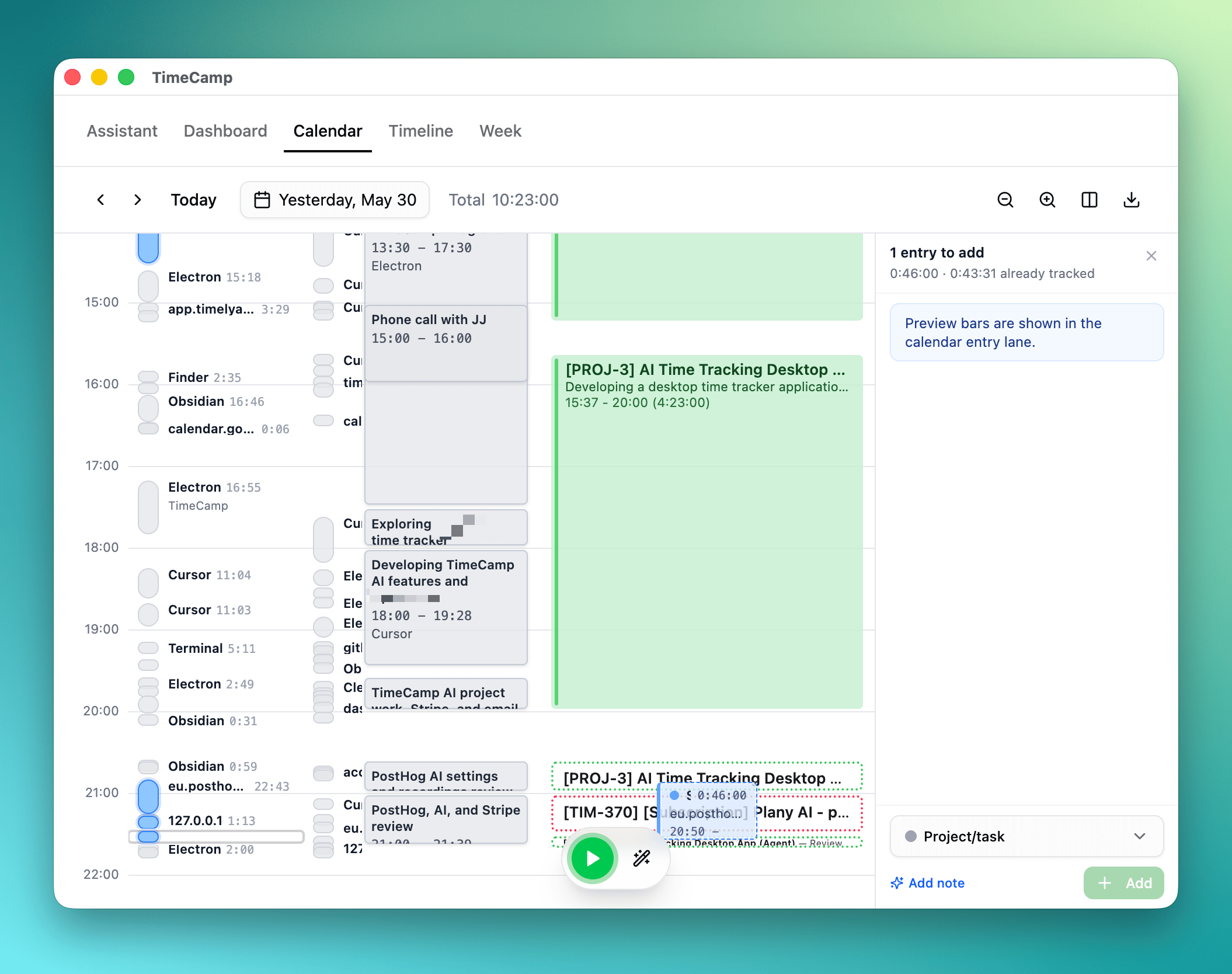
- new: Memory blocks line in calendar view with brief text overview
- new: Ability to expand bar with screen time in calendar by clicking on it
- new: Select specific apps when creating time entries from tracked activity by clicking CMD/Ctrl or Shift on app name
- improvement: Speed - better handling of TimeCamp entries with caching and cleaner creation flow
- improvement: Calendar, day column, and week view controls got a UX cleanup with smoother transitions
- improvement: App and memory bars can be collapsed
- improvement: Changed order of date picker buttons to be more intuitive
Assistant (AI Agent)
- improvement: Better agent guidance for skill installation and updated system instructions
- improvement: New tool call to get or edit memory blocks
- fix: Bash tool reliability improvements on macOS
General
- fix: Clearer memory block terminology in translations
30 May 2026 - v1.11.0
AI
- improvement: Switched to new unified API proxy
03 May 2026 - v1.10.9
TimeCamp Timesheet
- new: Add "Today" shortcut in calendar view
- improvement: Enhanced task search functionality
- improvement: Hide empty time gaps shorter than 2 minutes in list view to reduce visual clutter
- improvement: Better display format for small time blocks in the calendar view
- improvement: Improved clarity of timesheet settings
- improvement: Updated duration display format and enhanced suggestion labels
- improvement: Hide the "not tracking" red warning bar before the first computer activity of the day
- fix: Ensure accurate time entry suggestions by fixing adjacent entry merge logic
- fix: Reliable automatic task switching using keywords
- fix: Resolve race condition when rapidly deleting multiple time entries using keyboard shortcuts
Screen Time
- new: Added a privacy banner to emphasize local data protection
Assistant (AI Agent)
- improvement: Enhanced agent knowledge of local app data handling and privacy guidelines
27 Apr 2026 - v1.10.8
System & Performance
- improvement: Optimize performance by pausing background AI suggestions when the TimeCamp API is inaccessible (e.g. account inactive)
- improvement: Adjust throttling rate of background telemetry for better stability
26 Apr 2026 - v1.10.7
TimeCamp Timesheet
- TimeCamp instance endpoint configuration — support for custom server URLs
- AI suggestions now use task descriptions and keywords for more accurate proposals
- Option to restrict AI suggestions to last-level tasks only
- Periodic API authentication backoff — automatically slows down sync when account is suspended or inaccessible
- Improved error messages when account is suspended
- Fix: better error hint for 403 status guiding users to create a project
Assistant (AI Agent)
- Timestamps added to user messages in chat for better context in long-lived sessions
forceRefreshoption added togetTasksfor fetching the latest task list from server- Increased timeout for scheduled jobs with improved logging
- Fix: streamlined abort controller management to fix notifications on Windows
- Fix: scheduled job output now enforces plain text format
- Fix: updated system prompt to enhance user guidance on automations and skill discovery
/newand/resetcommands are now clickable links in chat
19 Apr 2026 - v1.10.6
General
- Global shortcut modifier changed from Cmd/Ctrl to Cmd+Shift / Ctrl+Shift for better consistency across platforms
- Default global shortcut key changed to disabled — prevents accidental triggers on fresh installs
- Settings migration improved to correctly handle shortcut values on update
18 Apr 2026 - v1.10.5
TimeCamp Timesheet
- Configurable AI and calendar snap intervals — fine-tune how AI suggestions and time blocks align
- Date header formatting improvements in day column view
- Background auto-switch — active timer automatically switches based on detected activity using tasks keywords (no AI required, by default disabled)
- Fix empty state - remove empty calendar overlay that was duplicated
- Fix Clockify timer functionality
Calendar View
- Current time indicator — see where you are in the day at a glance
- Auto-scroll to latest entry end time on open
- Layout and z-index fixes for improved display
Assistant (AI Agent)
- Desktop notification tool — agent can now send prominent on-screen alerts
- Enhanced notification handling for scheduled job messages
- Scheduled jobs can now use bash commands
General
- Updated default global shortcut key for consistency
01 Apr 2026 - v1.10.4
App
- Fixed second application instance not triggering the default action (e.g. show window) before terminating
- Removed legacy plain-text-timesheet plugin
- Security: updated vulnerable packages
29 Mar 2026 - v1.10.3
TimeCamp Timesheet
- Toggl integration — connect Toggl as an alternative time tracking provider alongside TimeCamp and Clockify
26 Mar 2026 - v1.10.2
App
- Activity tracking toggle added to system tray menu — pause and resume tracking without opening the app
22 Mar 2026 - v1.10.1
TimeCamp Timesheet
- Note button in Quick Start task picker — quickly add notes to selected task
- Favorites filter in Quick Start — toggle to show only your favorite tasks
- Pinned tasks in week view — pin frequently used tasks for easy access
- Configurable view options — choose which views to display in tabs
- Global keyboard shortcut to open the calendar timesheet tab
- Smarter task sorting in Quick Start
- Shake animation feedback when attempting to add a task without search input
- Refined task creation and selection logic in Quick Start
- Better empty state in week timesheet view
- Manually edited descriptions are no longer overwritten by auto-generation
- Corrected global shortcut label in Quick Start settings
Assistant (AI Agent)
- Configurable global shortcuts for agent actions
- Enhanced layout and responsiveness for tasks dialog
- Updated Claude Code provider integration
General
- Added missing translations
22 Mar 2026 - v1.10.0
App
- In-app update notifications — get notified when a new version is available without leaving the app
- Permission notification panels — accessibility and screen capture permission requests now shown as in-app notifications instead of system prompts
- Credits notification — see your AI credits status directly in the app if they are exhausted
- macOS permissions are no longer auto-prompted on startup — less intrusive onboarding experience
- Activity tracking replaces the old "track pause time" mechanic with a simpler toggle
- Upgraded to Electron 40 with multiple dependency updates
Assistant (AI Agent)
- Cache write tokens support for reduced API costs
- Automatic handling of AI models with forced reasoning
21 Mar 2026 - v1.9.15
Calendar Timesheet
- Clockify support — connect Clockify as an alternative time tracking provider alongside TimeCamp
- Create tasks directly from the Quick Start interface without leaving the app
- Export calendar entries to external formats
- Multiple time tracking provider support with unified settings
- Improved onboarding messaging and API key handling
- Toast notifications (via Sonner) for time entry actions — create, update, delete
- Task and project ID resolution in time entry mapping
- Time range label now correctly reflects actual entry times
Assistant (AI Agent)
- OpenAI-compatible provider support — use any OpenAI-API-compatible endpoint
- Smarter message handling and persistence across sessions
- Enhanced error handling for task and time entry tools
- PostHog analytics integration for better usage insights
Screen Time
- AI stats dashboard — shows time saved by AI, total AI entries, and active days with a hero banner
15 Mar 2026 - v1.9.14
Assistant
- New compaction engine (LosslessContext LCM) for smarter, token-efficient long conversations
- Job scheduling — create and manage recurring tasks directly from the chat
- Reload skills automatically when clearing the chat
Calendar Timesheet
- Week view: horizontal scroll detection and sticky column headers
- AI-powered merging of time entry descriptions for cleaner entries
- Favorite tasks — mark tasks as favorites with animations and list reordering in Quick Start
- Recently used tasks now include timestamps for smarter sorting
- Elapsed time display and timer controls added to Quick Start
- fix: Missing description parameter in Add Time Entry tool
9 Mar 2026 - v1.9.13
Assistant
- New
addTasktool — create projects and tasks in TimeCamp directly from the chat
Calendar Timesheet
- Week view — browse and manage your time entries across the full week
- Manual refresh button and new UI elements for task management
8 Mar 2026 - v1.9.12
Assistant
- AI task suggestion — better task detection and description using time tracking agent with tool calling
- OCR data retrieval and statistics tools for Assistant
- Claude Code integration as an AI provider for Assistant
- Compaction to save tokens in longer conversations
- Multi-language support for Assistant system prompts
- Token optimization by limiting number of tasks sent to AI
- Enhanced typing animation with caret visibility control
- Ability to stop running bash commands in Assistant
- Problem with cmd/exec on Windows for some commands
Calendar Timesheet
- Nearly-sequential entry detection with improved calendar rendering
- Calendar layout improvements for overlapping entries
- Plugin name corrected in manifest
26 Feb 2026 - v1.9.11
- new: Auto-run mode setting — choose between 'Safe' (approve each tool) and 'Always Allow' for fully autonomous operation
- new: Share chat content as PNG, text, or copy to clipboard
- new: First-run welcome message with auto-send on initialization
- improvement: Smarter chat streaming with interruption handling and unique stream IDs to prevent race conditions
- improvement: Link safety checks in AI responses — external links are handled securely
- improvement: Better error messages and improved dark mode color contrast
- fix: Time entry snapshot storage now uses INSERT OR IGNORE to prevent duplicates
25 Feb 2026 - v1.9.10
- new: TimeCamp as a built-in AI provider — no external API key required, works out of the box
- new: Skills management — browse, install, and open skills directory directly from the chat
- new: Sliding suggestions and rotating words in chat input for quick-start prompts
- new: Add skills directly from the chat interface with a dedicated action
- improvement: Chat now supports multiple languages (translations for EN and PL)
- improvement: New chat button and auto-focus on input when window regains focus
- improvement: Model and provider info displayed dynamically in chat header
- improvement: Bundled skills are automatically loaded on plugin initialization
- fix: Skills marketplace link updated to skills.sh
23 Feb 2026 - v1.9.9
- new: Skills system — load custom
.mdskill files from a configurable directory to extend Tic Agent's capabilities - new: Timer tools — start, stop, and check timer status directly from the AI chat
- new: Auto-run mode configuration — choose between 'safe' (approval required) and 'run-everything' modes
- new: Copy message and read aloud actions on assistant responses
- improvement: Step count limit increased from 5 to 50 for longer multi-step tasks
- improvement: Chat reset clears history and reloads skills
- improvement: Dark mode styling improvements
21 Feb 2026 - v1.9.8
- new: Tic Agent — AI chat assistant for managing time entries (experimental) 🤖 🔥🔥🔥 (enable it in settings)
21 Feb 2026 - v1.9.7
- improvement: Screen time view now defaults to 'today' with reordered date range buttons
- improvement: Screenshots are now disabled by default for better privacy
- improvement: Calendar view button renamed to 'Start' with sign-up link for new users
- improvement: Reordered tabs for better navigation flow
- improvement: Added padding to table view for cleaner layout
20 Feb 2026 - v1.9.6
- fix: Billable flag now saves correctly on time entries
17 Feb 2026 - v1.9.5
- new: Option to disable global shortcut in settings
- new: Search text highlighting in Quick Start for easier task finding
- improvement: Screen time app grouping only activates when there are more than 20 items
11 Feb 2026 - v1.9.4
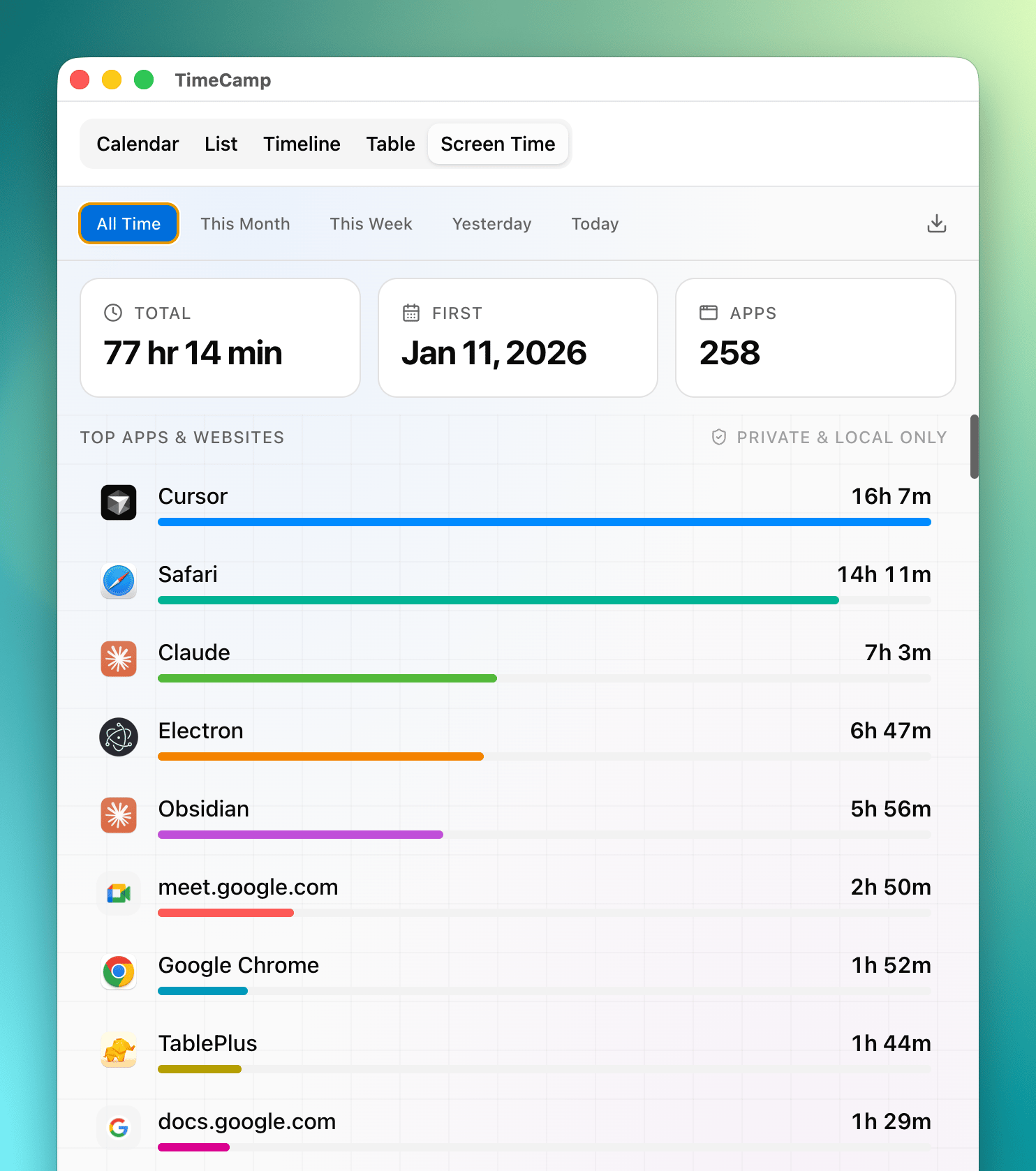
- new: Screen time plugin — track time spent in applications and websites
- new: Favicon display for websites in app usage list
- fix: Visual overlap issue for short time entries in calendar layout
10 Feb 2026 - v1.9.3
- new: Quick link to create new project or task during quick start
- new: Onboarding flow now completes on Enter key press for faster setup
- fix: Improved error handling for API token validation and network issues
9 Feb 2026 - v1.9.2
- new: CSV export for table view — download your time entries as spreadsheet
- improvement: Smarter AI proposal handling — marks entries as covered, restores entries when proposals are dismissed to save LLM tokens
- fix: Calendar layout and positioning improvements for overlapping entries
- fix: Running timer overlay now clickable for quick entry interaction
- fix: Better error messages when API calls fail
9 Feb 2026 - v1.9.1
- new: Table view powered by AG Grid for browsing and editing time entries
- new: Drag-and-drop in calendar — move and resize entries with edge snapping
- new: AI now suggests multiple tasks per time entry for faster selection
- new: Auto-merge adjacent time entries with similar activities in the background
- new: Real-time updates for AI suggestions in calendar and timeline views
- improvement: Instant task picker opens right after creating a new time entry
- improvement: Description field auto-focuses after task selection
- improvement: AI suggestions only run at 30-minute boundaries to reduce API calls
- improvement: Caching for time entries and timer status for better performance
- improvement: Smarter token usage — limits tasks sent to AI to save costs
- improvement: Automatic cleanup of stale and duplicate pending proposals
- improvement: Renamed plugins for clarity — "AI Summary" and "AI Table"
- fix: AI suggestions reappear correctly when a time entry is deleted
- fix: Suggested tasks now display reliably in all time entry views
- fix: Overlap detection uses actual end times for accuracy
- fix: Time entries clamped to valid ranges to prevent API errors
- fix: Background tickers debounced to prevent redundant API calls
28 Jan 2026 - v1.9.0
- improvement: Moved list and timeline views to separate tabs
- improvement: New setting to disable screen OCR
- improvement: Mini widget improved to show time of running timer
- improvement: Mini widget added ability to pause and resume timer
- fix: Default action when clicking on the app icon was not working
- fix: App was starting with wrong version number
- fix: Dark mode was not working properly
20 Jan 2026 - v1.8.3
- new: Customizable global shortcut for starting timers
- fix: Timeline interaction improvements for better task selection and dragging
- fix: Task breadcrumb display in edit modal
- improvement: Improved task suggestion prompt clarity and description examples for LLM
12 Jan 2025 - v1.8.2
- fix: Timeline will work on days without computer activity
- improvement: Open timeline from calendar
- chore: Store snapshot of manual and automatic time entries in local db to improve tasks matching
12 Jan 2025 - v1.8.1
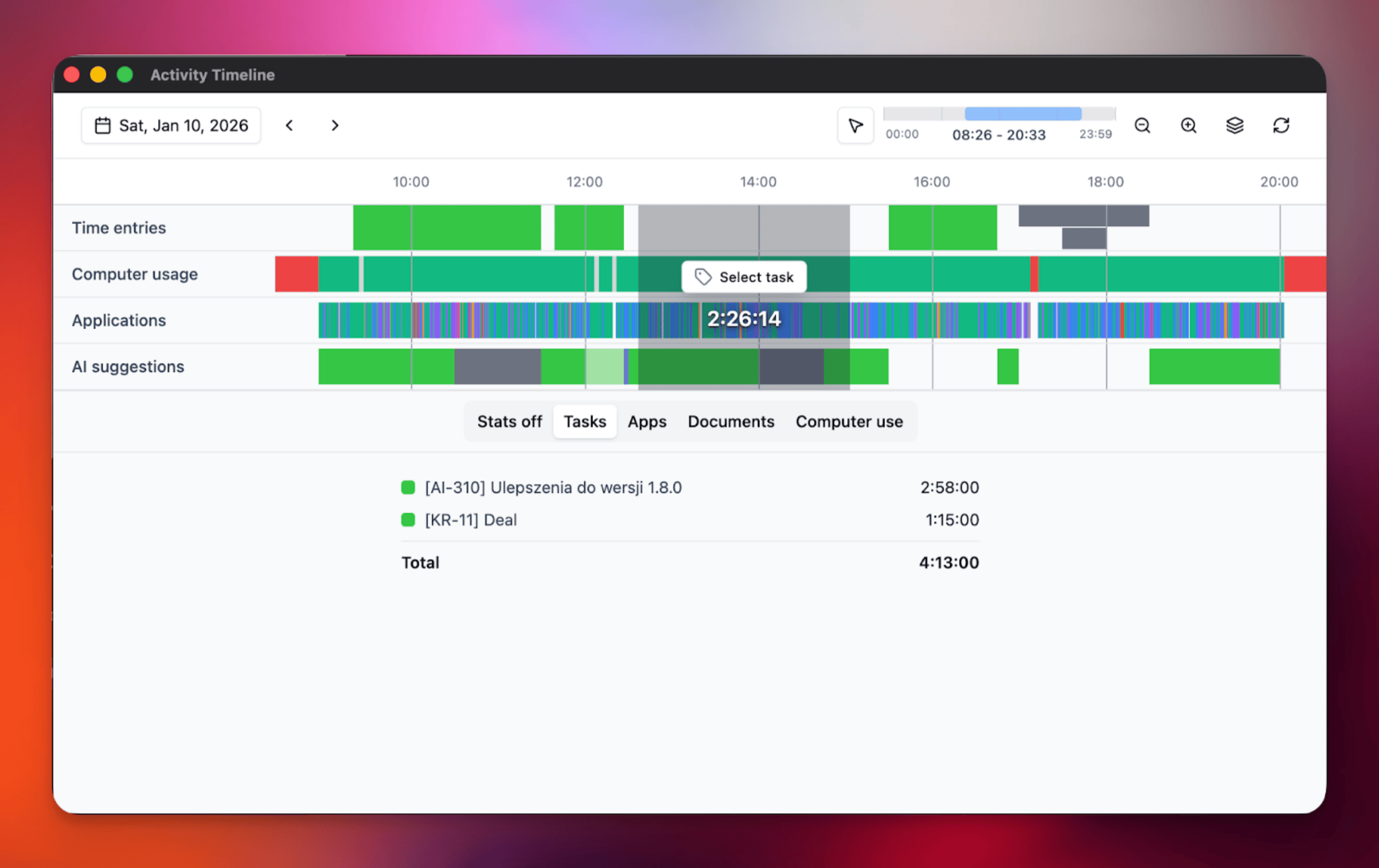
- new: Added timeline view
- fix: Time entry suggestions now properly respect user settings when disabled
- improvement: Widget is now disabled by default for new users
- improvement: Persist activities expanded state in edit time entry dialog
10 Jan 2025 - v1.8.0
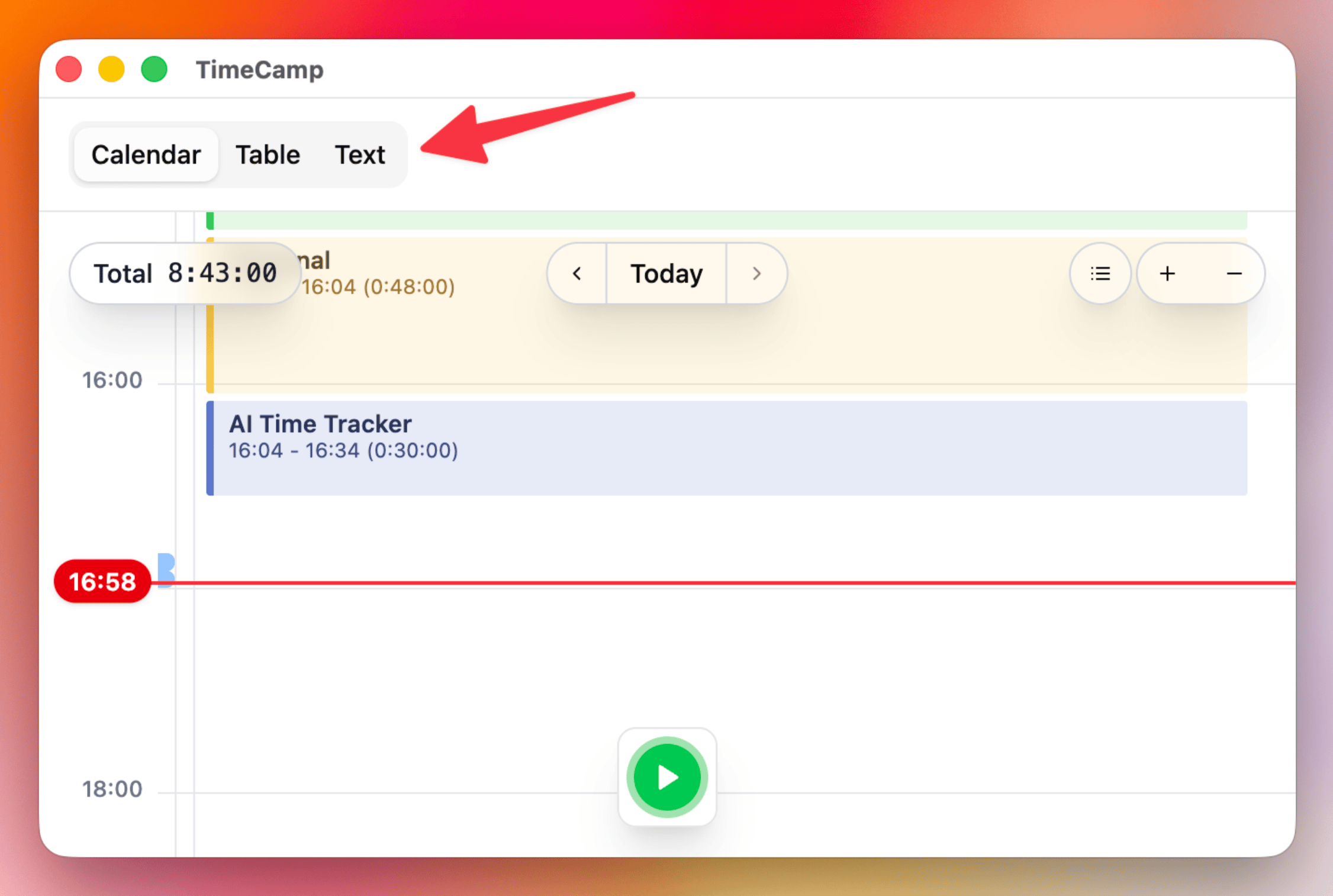
- new: Unified single-window interface with all views accessible in one place for improved discoverability
- fix: Memory leaks on MacOS and Windows causing crashes
- fix: Various stability improvements
- fix: Fixed text summary occasionally displaying incorrect computer time
30 Nov 2025 - v1.7.0
- chore: added Sentry for error logging
- chore: use separate threads for better performance
23 Nov 2025 - v1.6.6
- new: added day text summary feature with custom styles (professional, funny, technical)
- improvement: added button to regenerate daily timesheet
- improvement: better performance for TimeCamp task selection
23 Nov 2025 - v1.6.5
- fix: Daily Timesheet will make better time entries suggestion - less granular
23 Nov 2025 - v1.6.4
- fix: Daily Timesheet table not loading properly
17 Nov 2025 - v1.6.3
- new: timer widget
- improvement: better performance
- fix: many small fixes, especially in onboarding
12 Nov 2025 - v1.6.2
- improvement: now time entries suggestions need to be approved before sending
- improvement: UX in calendar view
7 Nov 2025 - v1.6.0
- new: quick start a task window with global shortcut cmd/ctrl+e
- improvement: shortcuts to zoom windows and open settings cmd/ctrl+,
- fix: problem when showing daily timesheet table with automatic summary of day
- fix: many small fixes
4 Nov 2025 - v1.5.1
- fix: many small fixes
1 Nov 2025 - v1.5.0
- new: textual overview of your day (enable it in settings)
- new: choose default action when clicking on the app icon
- new: get browser urls as hints to fill your timesheet (stays private only on your computer)
- improvement: MacOS accessibility permissions check
- improvement: more generous free LLM tokens (for limited period of time)
- fix: many small fixes
27 Oct 2025 - v1.4.4
- new: Onboarding in timecamp timesheet
- new: Ability to zoom calendar view
- improvement: MacOS menu bar icons now follow the standard with automatic color
- improvement: Many many (over 30) UI improvements & tweaks
4 Aug 2024 - v1.0.0
- new: First line of code, hello 👋🏻👨🏻🍼