
FAQ
How to fix an API token problem
If the app cannot sync data, keeps asking you to log in, or reports an API token problem, replace the token saved in the desktop app.
Before you start, open TimeCamp Profile Settings and copy your current API token.
Open Settings
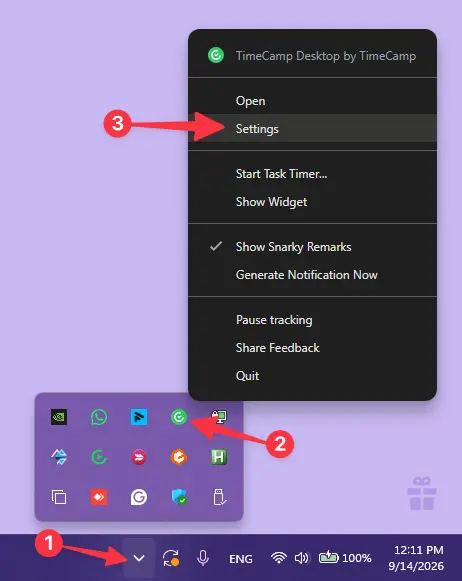
Click the arrow next to the clock in the taskbar (1), click the TimeCamp Desktop icon (2), then click Settings (3).
Open the TimeCamp account configuration
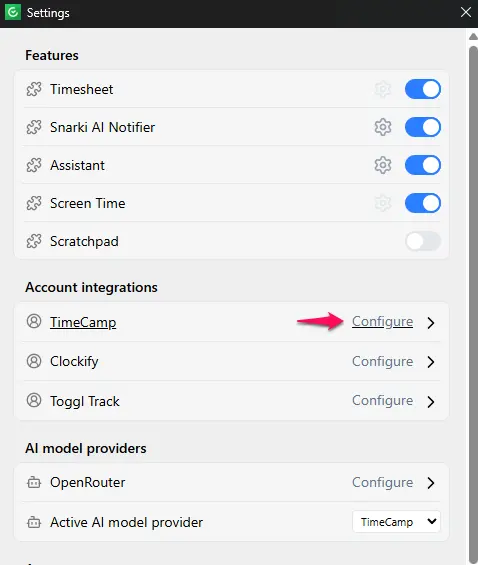
In the Account integrations section, click Configure next to TimeCamp.
Remove the old token
Clear the API Key field so it is empty, click Back to settings, then close the Settings window.
Enter the new token
Open the main window: click the arrow next to the clock, click the TimeCamp Desktop icon, then click Open. The onboarding dialog appears. Click Get started, choose TimeCamp, paste the new API token and click Continue.
Open Settings
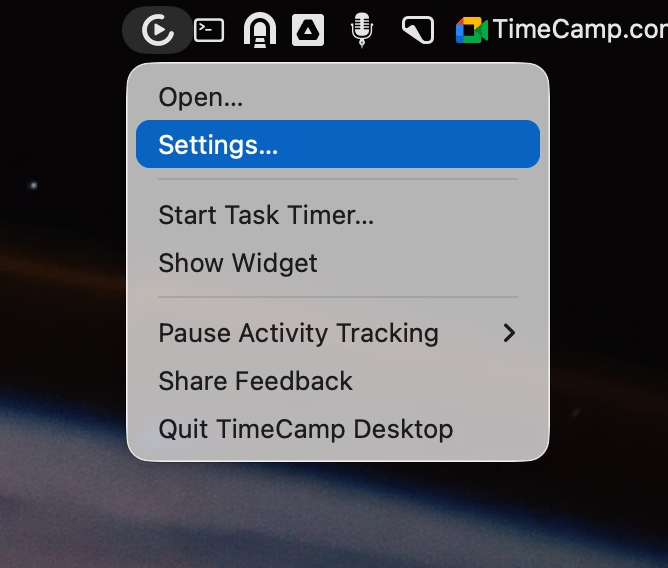
Click the TimeCamp icon in the menu bar, then click Settings....
Open the TimeCamp account configuration
In the Account integrations section, click Configure next to TimeCamp.
Remove the old token
Clear the API Key field so it is empty, click Back to settings, then close the Settings window.
Enter the new token
Click the TimeCamp icon in the menu bar, then click Open.... The onboarding dialog appears. Click Get started, choose TimeCamp, paste the new API token and click Continue.
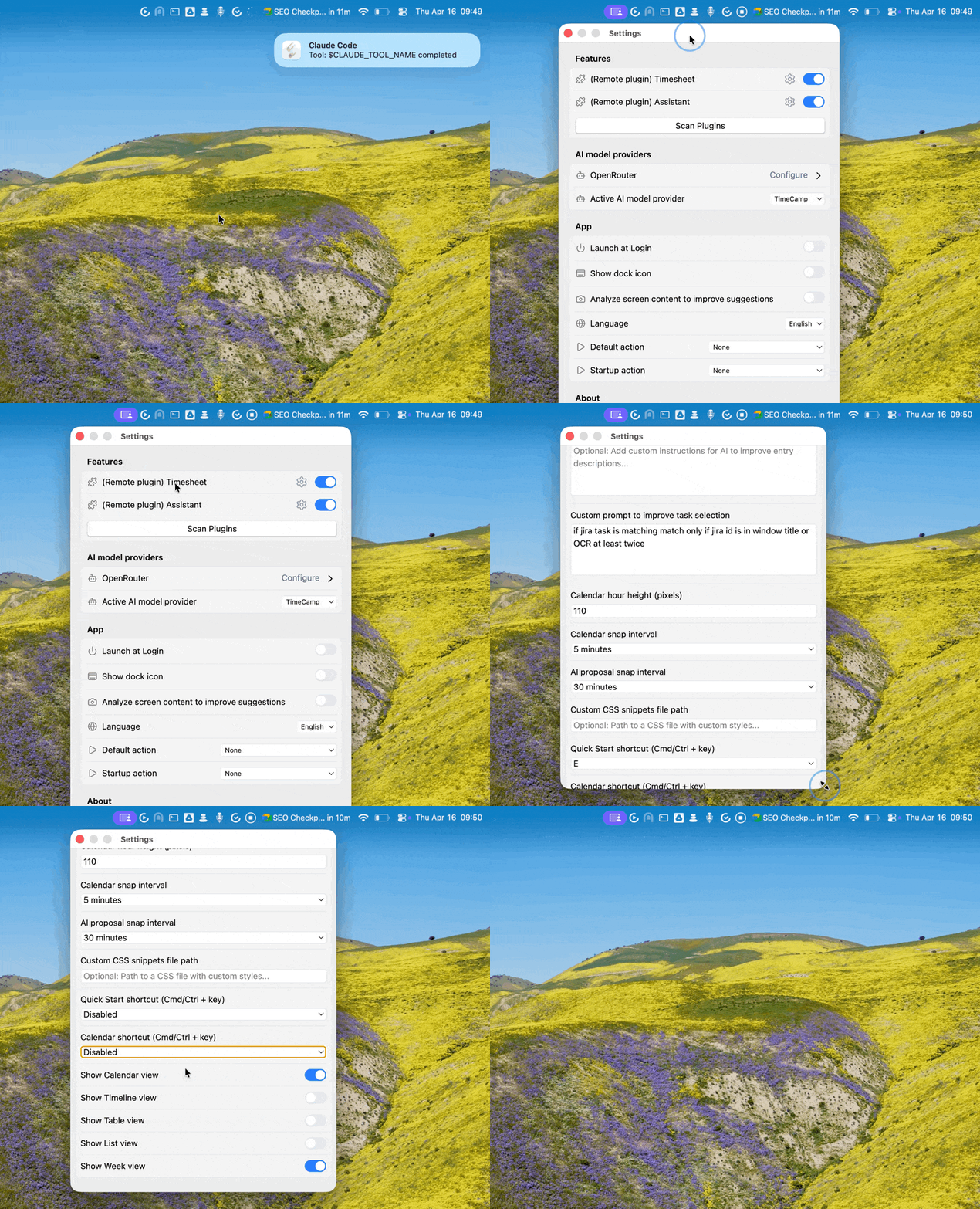
The whole process on macOS:
How to change or disable the global keyboard shortcut
You can change or turn off the global shortcut in the app settings:
- Open the menubar app and click Settings...
- Click the ⚙️ icon next to Timesheet or Assistant
- Scroll to Keyboard Shortcuts
- Set a new shortcut or disable the global shortcut
How to change time entries granularity
AI-proposed time entries are snapped to a fixed interval. You can change this interval in the Timesheet settings:
- Open the menubar app and click Settings...
- Click the ⚙️ icon next to Timesheet
- Change the value of AI proposal snap interval (default is 30 minutes)
How to disable or enable memory blocks
Memory blocks are short AI-generated summaries of your activity. They are disabled by default. You can turn them on or off in the Timesheet settings:
- Open the menubar app and click Settings...
- Click the ⚙️ icon next to Timesheet
- Toggle Memory blocks
More help
If you still have a problem, email us at support@timecamp.com and attach the app logs.