
AI features
The first fully automated time tracker.
Fifteen years ago, we pioneered automatic time tracking with keywords. Now, the next chapter. TimeCamp watches how you work, learns your patterns, and fills your timesheet—without you lifting a finger. No timers. No manual entry. Just accurate time data. Privacy first. Data stays local and private.
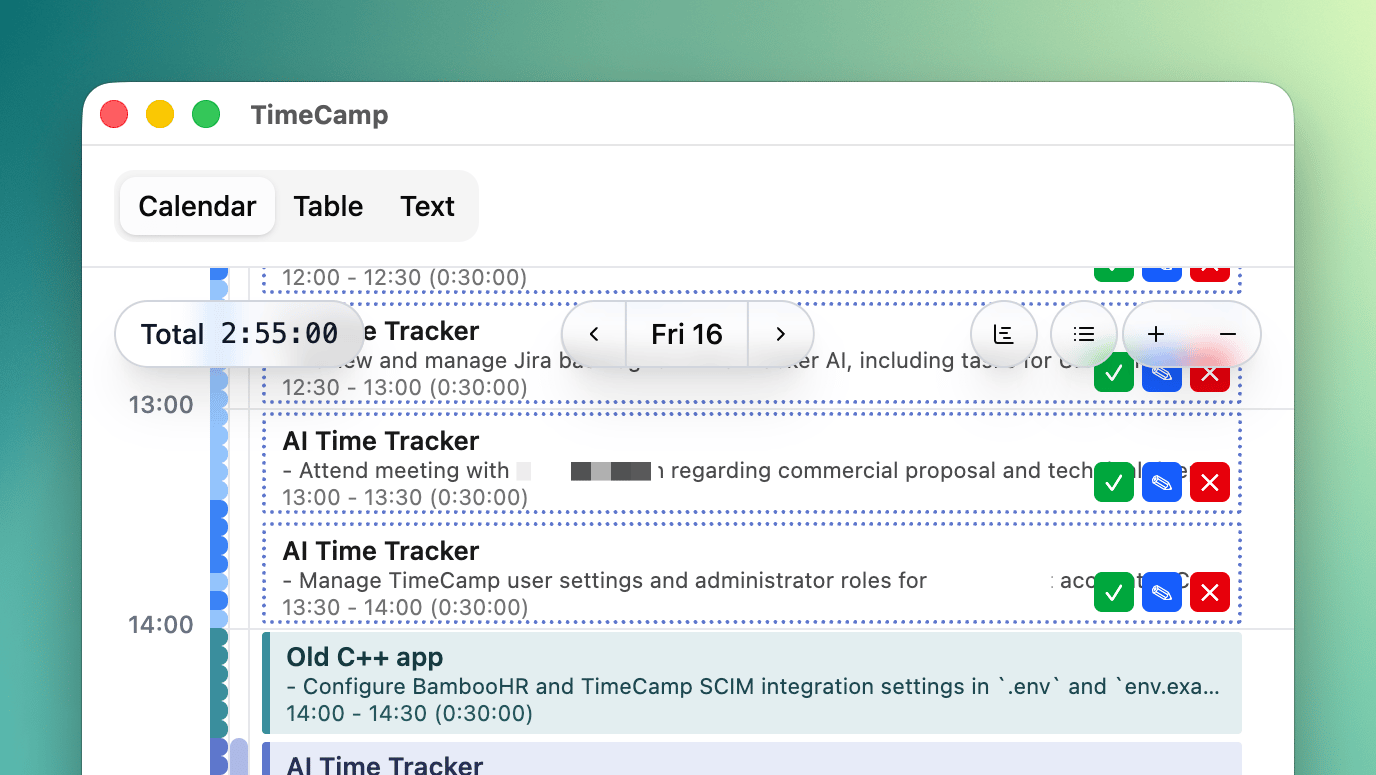
What AI Can Do
- ✅ Suggest tasks based on your activities
- ✅ Generate descriptions from screen content
- ✅ Auto-fill gaps in your timesheet
- ✅ Learn from corrections to improve over time
- ✅ Chat you can use Assistant as general purpose chat with tools, scheduled tasks
Pro Tips
- Keep app running - Add to login items for auto-start
- Review suggestions - Correct mistakes to improve AI
- Organize projects - Clear structure in TimeCamp = better AI
- Task descriptions - Describe your tasks in a way that is easy for AI to understand in Description field in TimeCamp
Available Models
You can pick the model in Settings → AI. Relative cost is shown against google/gemini-pro-latest.
Our recommended model (price/performance ratio) is set as auto in Settings. It may change over time, but it's usually the best model for most use cases.
| Model | Modality | Relative cost | Comment |
|---|---|---|---|
openai/gpt-latest | Multimodal | ~2.5× | |
anthropic/claude-sonnet-latest | Multimodal | ~1.4× | |
google/gemini-pro-latest | Multimodal | 1× (baseline) | |
deepseek/deepseek-pro-latest | Text only | ~0.65× | From time to time, fails more often than other models |
google/gemini-flash-latest | Multimodal | ~0.25× | |
google/gemma-latest | Multimodal | ~0.05× | From time to time, fails more often than other models |
Models are not deterministic, so you may get different results with the same input and same model.
Sometimes models that cost more, can perform worse than cheaper models. It's best to test this by yourself. Open specific time entry and click Suggest with AI button, then change model in Settings and see if the results are better.
We offer help to determine the best model for your use case using evals. Contact us for more information.
Keep Using AI Features
Every workspace starts with $10 in free AI credits—enough to see the magic for yourself. Once you've used them up, pick how you'd like to keep going:
-
Top up through TimeCamp — Plans start at $4.99/month. Add credits for yourself or your whole team in one place. No setup, no hidden fees, cancel anytime https://billing.timecamp.com.
Get credits now -
Bring your own API key — Prefer to manage AI yourself? Connect any model via OpenRouter in Settings → AI and pay your provider directly.
FAQ
Legal
For the legal terms that apply to TimeCamp products, please refer to TimeCamp's Privacy Policy, Terms & Conditions, and List of Sub-Processors.
Privacy Policy
See TimeCamp's Privacy Policy.
Terms of Service
See TimeCamp's Terms & Conditions.
Subprocessors
See TimeCamp's List of Sub-Processors.